How fall alert devices work and what to check before buying
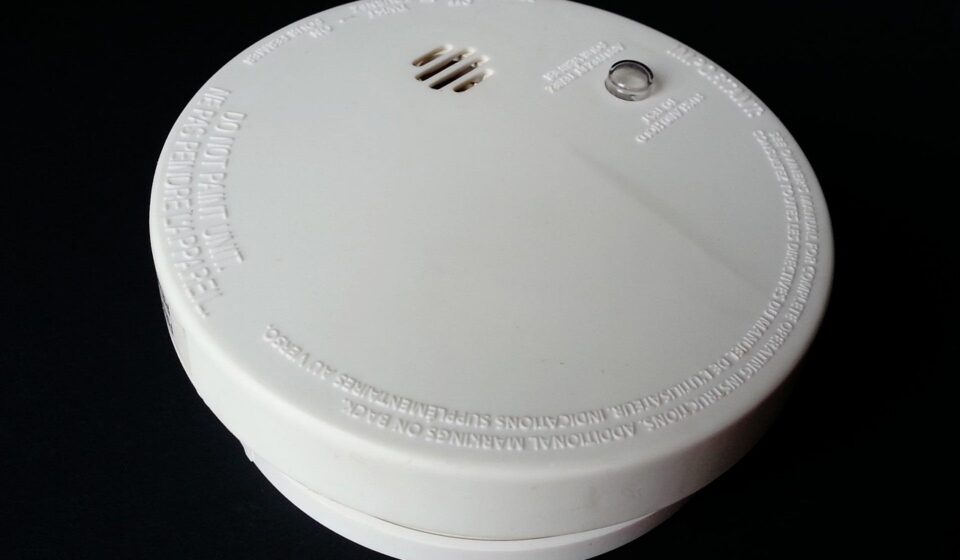
Fall alert devices help an older adult, patient, or person with mobility risk call for help after a fall or another emergency. The most useful systems usually combine a wearable help button, automatic fall detection, dependable cellular or in-home connectivity, and a clear response plan. They should not be treated as fall-prevention devices on their own. Public health sources such as the CDC and National Institute on Aging continue to emphasize exercise, medication review, vision checks, footwear, and home safety as core fall-prevention measures. In practice, a fall alert device is best viewed as a response tool: it may reduce the time someone remains on the floor, but it cannot detect every fall, prevent every injury, or replace a clinical fall-risk assessment.
For more coverage of monitoring tools and related healthcare technology, see the Diagnostic Devices section.
Why fall alert devices matter
Falls remain one of the most important safety issues for older adults, caregivers, and care teams. CDC and National Institute on Aging materials report that more than one in four people age 65 and older fall each year. A fall can lead to fractures, head injury, loss of confidence, reduced mobility, emergency department visits, hospitalization, or a move to a higher level of care.
That public health burden helps explain why fall alert devices have evolved from simple pendant buttons into more connected systems. Current options may include automatic fall detection, GPS location, two-way voice, caregiver apps, battery-status alerts, and cellular connectivity outside the home. In long-term care and hospital settings, fall-related alarms may also be integrated with nurse call workflows, bed or chair sensors, and room-monitoring systems.
The important distinction is that a fall alert device is not the same as a fall-prevention program. The U.S. Preventive Services Task Force, in its June 4, 2024 recommendation on falls prevention for community-dwelling adults 65 and older at increased risk, recommended exercise interventions and noted that selected multifactorial interventions may be useful for some patients. Devices can support independence and faster response, but they should sit alongside prevention measures rather than replace them.
Main types of fall alert devices
The term fall alert devices covers several product categories. The right choice depends on where the user spends time, whether they will reliably wear the device, and who should receive the alert.
| Device type | Typical use | Main strengths | Common limitations |
|---|---|---|---|
| Wearable help button | Home or mobile personal emergency response system | Simple manual activation; often connects to a monitoring center or caregiver | Requires the user to press the button and keep the device nearby |
| Automatic fall detection pendant or wrist device | Older adults living alone or people with known fall risk | May send an alert when the user cannot press a button | Can miss some falls and can trigger false alarms |
| Smartwatch with fall detection | Active users who already wear a smartwatch | Combines fall detection with calling, location, and other health features | May depend on phone proximity, cellular service, settings, and daily charging |
| In-home base station with wall buttons | Bathrooms, bedrooms, stair areas, and other high-risk locations | Useful where a wearable may be removed, such as during bathing | Limited to the home and only useful if within reach |
| Facility bed, chair, or room sensors | Hospitals, nursing homes, assisted living, and rehabilitation units | Can alert staff to movement or attempted transfers | May contribute to alarm fatigue if not configured within a workflow |
For home users, the central question is whether the system will work during the most likely emergency. A pendant left on the nightstand cannot help in the bathroom. A smartwatch that is not charged cannot call anyone. A home-only base station may not help during a walk outside. Matching the device to the person’s actual routine is more useful than comparing feature lists in isolation.
How automatic fall detection works
Most wearable fall detection systems use motion sensors such as accelerometers and gyroscopes. Some devices may add barometric pressure sensors, GPS, or other signals. The system looks for patterns that resemble a fall, such as rapid downward motion, impact, posture change, and a period of limited movement afterward. If an event meets the device’s criteria, the device may vibrate, sound an alarm, display a prompt, contact a monitoring center, call emergency services, or notify selected caregivers.
This process is useful but imperfect. Public manufacturer support materials and user manuals commonly warn that automatic fall detection cannot detect 100% of falls. Research reviews also point to a gap between laboratory performance and real-world use. In a lab, falls are often simulated under controlled conditions. In daily life, an older adult may slide from a chair, collapse slowly, fall in a confined bathroom, brace with an arm, or continue moving after impact. These events may not match the fall pattern the algorithm was designed to recognize.
False positives are also part of the tradeoff. A device can mistake abrupt arm movement, dropping into a chair, exercise, tool use, or the device being knocked around for a fall. Too many false alerts can frustrate the user, burden caregivers, and lead to alarm fatigue. Too few alerts may miss real events. Buyers should therefore treat accuracy claims cautiously unless the company clearly explains how the device was tested, in what population, and under what conditions.
What to check before buying a fall alert device
A practical evaluation should begin with the person’s risk profile and living situation, not with the device brand. A user with mild balance concerns who walks daily may need mobile coverage and GPS. A person who rarely leaves home may need strong in-home range, bathroom coverage, and an easy charging routine. A person with cognitive impairment may need a system that alerts caregivers when the device is not worn or when battery levels are low.
- Response model: Confirm whether alerts go to a 24/7 monitoring center, family contacts, emergency services, or a combination. Monitored systems may offer trained dispatch support, while unmonitored systems can be less expensive but depend on contacts answering quickly.
- Connectivity: Check whether the device uses landline, Wi-Fi, cellular service, Bluetooth, or a nearby phone. For mobile users, verify cellular coverage in the areas where the person actually lives, walks, shops, and travels.
- Battery and charging: Ask how long the battery lasts in normal use, how low-battery alerts work, and whether the user can manage the charging routine. Daily charging may be acceptable for a smartwatch user but unrealistic for some high-risk users.
- Water exposure: Many serious falls occur in or near bathrooms. Check the device’s water-resistance rating and instructions for shower use. Do not assume that a splash-resistant device is suitable for bathing.
- Location accuracy: GPS may help outside the home, but indoor location can be less precise. For apartment buildings, campuses, or care facilities, the location workflow matters as much as the map pin.
- Comfort and wearability: A technically advanced device is not useful if it is heavy, irritating, stigmatizing, hard to fasten, or frequently removed.
- Fees and contracts: Review activation fees, equipment fees, monthly monitoring charges, fall detection add-on costs, shipping, cancellation rules, and return windows.
- Caregiver access: If family members are involved, confirm whether the app can show battery status, alert history, location, device-wearing status, and emergency contact updates.
Consumer protection should be part of the buying process. The Federal Trade Commission has previously taken action against deceptive pitches involving supposedly free medical alert systems that later carried monthly monitoring fees or difficult cancellation terms. That does not mean the category is unsafe; it means buyers should avoid high-pressure calls, verify the company independently, read the contract, and be cautious with payment information.
Clinical and regulatory context
Fall alert devices sit between consumer electronics, personal emergency response systems, remote care tools, and regulated medical devices. The FDA product classification database includes certain fall-prevention alarm and sensor combinations, including devices that may connect with nurse call systems. However, that classification should not be read as a blanket endorsement of every consumer fall alert product or every fall-detection algorithm. Some products are marketed primarily as emergency communication or wellness devices, while others may be part of clinical or institutional systems. See also: clinical equipment.
For healthcare providers and facility purchasers, the regulatory question is only one part of evaluation. Teams should also assess usability, alert routing, staff burden, maintenance, cybersecurity, data retention, infection-control cleaning procedures, and how the device fits into the organization’s fall-prevention policy. A device that produces frequent low-value alarms can undermine safety if staff begin to ignore alerts. Conversely, a well-configured system can help when it supports a clear care workflow and is paired with individualized fall-risk assessment.
Coverage and reimbursement also vary. Original Medicare generally does not treat personal emergency response systems as standard covered durable medical equipment. Some Medicare Advantage plans, Medicaid home- and community-based services waivers, veterans’ programs, or local aging services may help with costs depending on eligibility and location. Because benefits change by plan and year, users should ask the insurer or program specifically about “personal emergency response systems” and “automatic fall detection,” rather than relying on marketing language.
A practical decision checklist
Before choosing a system, caregivers and purchasers can use a structured checklist:
- List the most likely fall locations, including bathroom, bedroom, stairs, kitchen, yard, and walking routes.
- Decide whether the user needs home-only coverage, mobile coverage, or both.
- Confirm who should receive alerts and in what order.
- Test two-way voice quality from high-risk areas of the home.
- Confirm whether automatic fall detection is included or requires an added fee.
- Review the device’s statement about falls it may not detect.
- Check battery routines and assign someone to monitor low-battery alerts.
- Run a non-emergency test call according to the provider’s instructions.
- Document cancellation terms, equipment return rules, and monthly costs.
- Pair the device with fall-prevention steps such as strength and balance exercise, medication review, vision care, safe footwear, lighting improvements, grab bars, and removal of trip hazards.
The final step is often overlooked: revisit the choice after a health change. A device that worked well before surgery, a stroke, new dizziness, cognitive decline, or a move to a new home may no longer fit. Fall alert technology should be reviewed whenever the person’s mobility, environment, caregiver support, or daily routine changes.
Frequently asked questions
Do fall alert devices prevent falls?
Not directly. They are mainly response tools that help a person call for assistance after a fall or emergency. Fall prevention still depends on measures such as exercise, medication review, vision checks, home hazard reduction, appropriate footwear, and clinical assessment.
Is automatic fall detection reliable enough to use alone?
Automatic detection can add an important safety layer, especially if the user is unconscious, confused, or unable to press a button. However, it should not be used as the only safety plan because devices can miss some falls and may create false alarms.
Are smartwatches a substitute for medical alert systems?
For some active users, a smartwatch may be sufficient if it has fall detection, cellular connectivity or reliable phone pairing, location sharing, and a user who will keep it charged and worn. For higher-risk users, a dedicated monitored system may be more appropriate because it is built around emergency response rather than general consumer features.
Should a fall alert device be worn in the shower?
Only if the manufacturer’s instructions and water-resistance rating allow it. Because bathroom falls are common, shower usability is an important buying question. If a wearable cannot be used in the shower, consider additional bathroom call buttons or other in-home safety measures.
What is the most important feature to compare?
The most important feature is not a single sensor or app function. It is whether the complete system works for the user’s real life: worn consistently, connected reliably, charged correctly, routed to the right responders, and supported by a broader fall-prevention plan.